AI Product Photography Workflow That Scales

Written by Naman Kasliwal
Founder & CEO at kaptured.ai
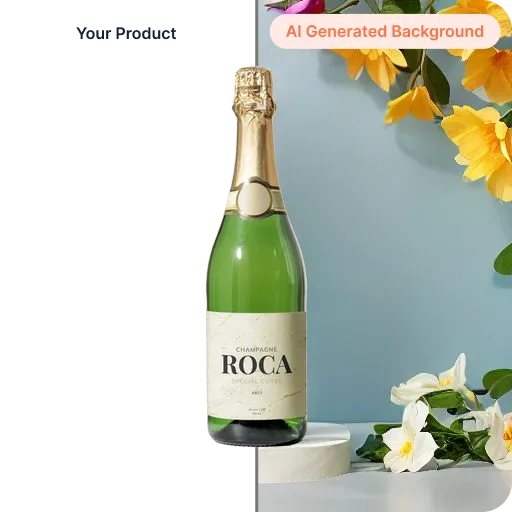
AI-native product teams win by moving from mood board to shoppable asset in a single afternoon. This workflow shows how to go from raw concept to channel-ready imagery with kaptured.ai in a repeatable way.
Key Takeaways
- Start with detailed briefs that capture lighting, surfaces, and brand voice so AI models stay on-visual.
- Automate review cycles with guardrails for realism, compliance, and on-model fit before exporting deliverables.
- Store prompts, props, and scene settings centrally to reuse winning looks across releases.
Body
1. Ground the Shoot in a Creative Brief
Kick off every project with a living brief that includes target channels, aspect ratios, hero products, and styling notes. Feeding the brief directly into kaptured.ai’s template builder ensures the diffusion model understands the tone before the first render.
2. Build a Scene Library in kaptured.ai
Create reusable scenes for tabletop, on-model, and lifestyle shots. Tag each scene with metadata such as lighting profile, brand palettes, and call-to-action overlays. When merchandisers request updates, you can swap the product SKU while preserving the environment.
3. Generate Variations and Score Automatically
Use batch generation to explore backgrounds, poses, and props. Layer in automated quality checks—pose alignment, fabric realism, and compliance filters—so only viable options reach reviewers. This trims manual curation from hours to minutes.
4. Collaborate in Real Time
Invite design, merchandising, and growth stakeholders into the same kaptured.ai workspace. Comment threads, approval states, and side-by-side comparisons make it easy to converge on the final hero image without exporting files.
5. Publish Channel-Ready Assets
Once approved, export the hero image, thumbnails, and ad variants directly to your DAM or ecommerce platform. kaptured.ai preserves alt text, captions, and license notes so every asset is ready for SEO and accessibility out of the box.
FAQs
FAQs
- How long does a full AI product shoot take with this workflow?
- Most teams complete the full concept-to-delivery loop in two to three hours once the prompts and templates are ready.
- Can we reuse model prompts across product launches?
- Yes—store prompts and styling rules in a shared library so creative teams can adapt them for future collections.


